 narenana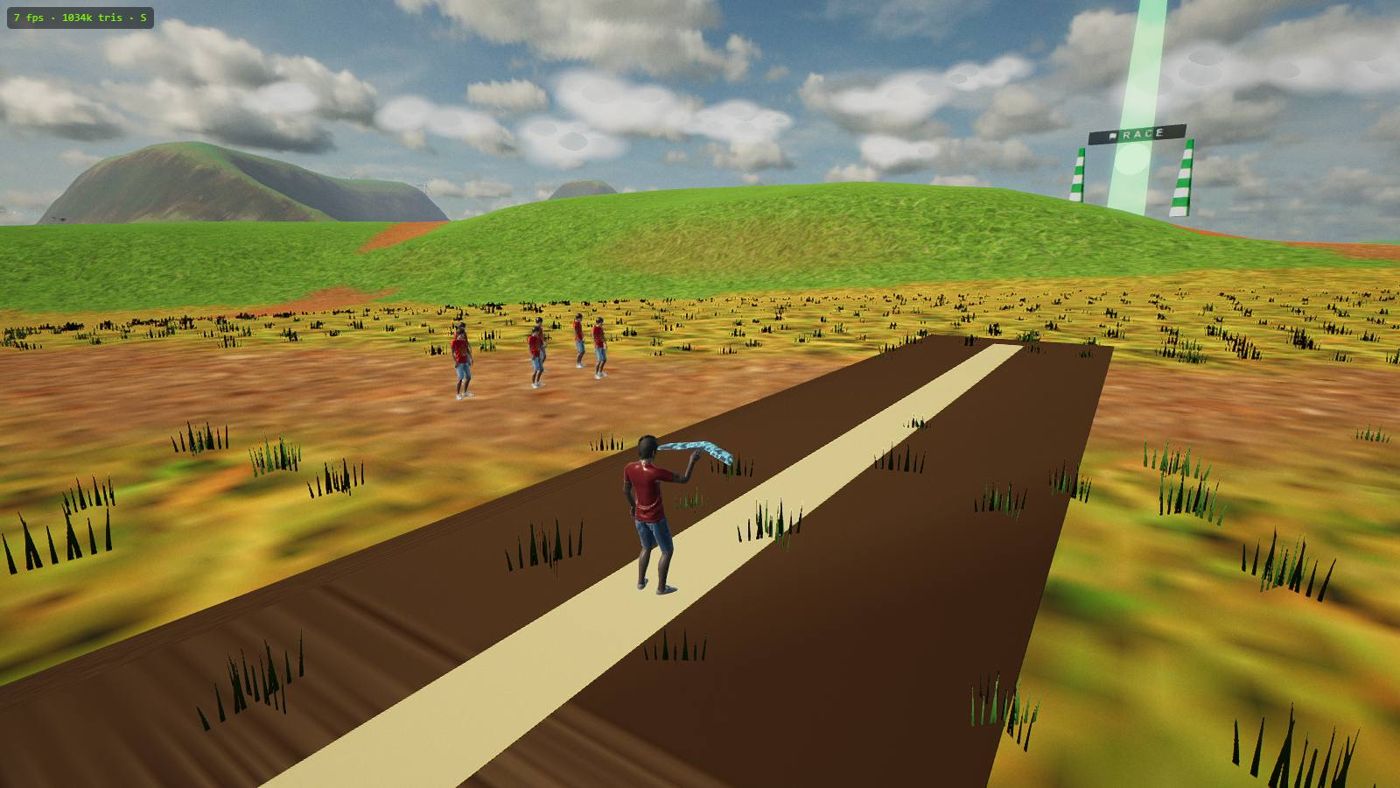
“Whoever made this… they are an actual FPV pilot, ’cause they put in stuff which is realistic.” He also stresses what makes it easy to try: it's completely free, there's nothing to download, and you don't need a powerful computer — you just open the browser and fly. Watch the full review →
Why practising in a sim first is the smart move
FPV flying is one of the most expensive hobbies to learn by crashing. A capable FPV wing or drone costs real money, and it will hit the ground while you learn — that's not pessimism, it's how everyone starts. Add a set of goggles and a decent transmitter and you're looking at a serious investment before your first proper flight. Every early mistake — a stall on the turn, a botched orientation call, a dead battery over the far treeline — becomes a repair, a lost airframe, or a walk of shame to retrieve the pieces.
A simulator removes the money from the equation entirely. The skills that actually keep an aircraft in the air are the same whether the wing is virtual or carbon fibre, and a sim lets you drill them for free. When you spear it in, you press R and you're back on the strip with a fresh battery a second later — no glue, no soldering iron, no waiting on a parts order. That instant reset is the whole point: it turns the expensive, discouraging part of learning into something you can repeat a hundred times in an afternoon.
Nanawing is 100% free — no download, no install, no signup, no account. It runs in any modern browser (Chrome, Edge, Firefox, Safari) on Windows, Mac, Linux or a Chromebook. A first-run benchmark measures your machine and auto-picks a graphics tier, so it runs smoothly even on integrated graphics with zero settings to fiddle. Open it and fly — that's the entire setup.
The skills that transfer — and how Nanawing drills each one
Most beginner crashes come down to a handful of habits. These are exactly the things a sim can teach cheaply, because they're about flying, not about which sticks your particular radio has.
Bank, then pull — coordinated turns
A flying wing has no rudder. You turn by rolling into the direction you want (A/D) and then adding a little back-pressure (S) to carve the turn. Roll without pull and you slide sideways, dumping altitude; pull without roll and you just balloon upward. Nanawing flies coordinated turns the way a real wing does, so "bank then pull" becomes reflex — the single most important habit in fixed-wing FPV. (The twin-motor Spectre can also yaw on a controller's yaw stick, by running its two motors at different speeds, but it too turns by banking.)
Throttle and energy management
In the air, throttle isn't a gas pedal — it's your energy budget. Climb and you trade speed for height; dive and you get it back. Cut power in a turn and the wing slows toward the stall. Nanawing gives each airframe a real thrust curve and a battery that drains, so you learn to keep energy in reserve, feed throttle through turns, and plan a landing approach instead of arriving too fast or too slow.
Stall recognition
Every airframe has a stall speed — the point where it's simply too slow to keep flying and the nose drops whether you like it or not (24 km/h in level flight on the forgiving learner wing, up to 34 on the fast jet — see the aircraft guide). Learning to feel that edge — mushy controls, a sinking nose — and to recover by lowering the nose and adding power is a skill that saves real aircraft. Practising it in a sim costs nothing; practising it on real hardware costs a wing.
Orientation
Knowing which way the aircraft is pointing when it's a dot in the distance — and which way "left" is when it's flying toward you — is the skill that separates comfortable pilots from nervous ones. Nanawing's smoothed chase camera lets you build that spatial sense gently, and the nose-mounted FPV camera (one press of C) puts you inside the aircraft with the same green OSD telemetry — artificial horizon, altitude, speed, battery, home arrow — real pilots read through goggles.
The return-to-home habit
On a real long-range wing, knowing your failsafe and trusting return-to-home is a discipline that recovers aircraft instead of losing them. Press H and Nanawing's RTH autopilot levels the wing, climbs to a safe altitude, and flies a gentle loiter back toward the strip — exactly what a real failsafe does, and it triggers automatically if your "radio link" drops. Watching it fly is also a clean demonstration of what coordinated flight is supposed to look like.
Your first session: a concrete plan
You need nothing but a keyboard and a browser. Here's a first sitting that builds each skill in order — about twenty minutes and you'll have the fundamentals moving.
Launch and climb out
Press Space — a launcher jogs down the strip and throws your wing at flying speed (wings have no landing gear, so every flight is a hand-toss). Hold ⇧ Shift for throttle and pull S to raise the nose into a steady climb.
Fly gentle circuits in chase cam
Stay in the smoothed chase camera and fly big, lazy laps. Bank with A/D, add a touch of S through each turn, and keep some throttle in so you never slow toward the stall. This is where bank-then-pull and energy sense become automatic.
Switch to the FPV camera
Once circuits feel calm, press C for the nose view and read the green OSD. Everything is harder from inside the cockpit — that's the real skill. Fly the same gentle laps until FPV orientation clicks. Lost? R resets you instantly.
Thread the green arch for a timed lap
Fly through the green START arch over the runway and you're on a race lap — no mode select, every launch is free flight. Finish for a time, a medal, and a place on the global leaderboard. It's the fun way to sharpen precision.
Don't rush the goggle view. The chase camera exists so you can build turn and throttle habits without fighting orientation at the same time. When those are solid, C drops you into FPV — the same view, the same physics, just the harder perspective. That progression is how comfortable pilots are made.
You genuinely need nothing but a keyboard
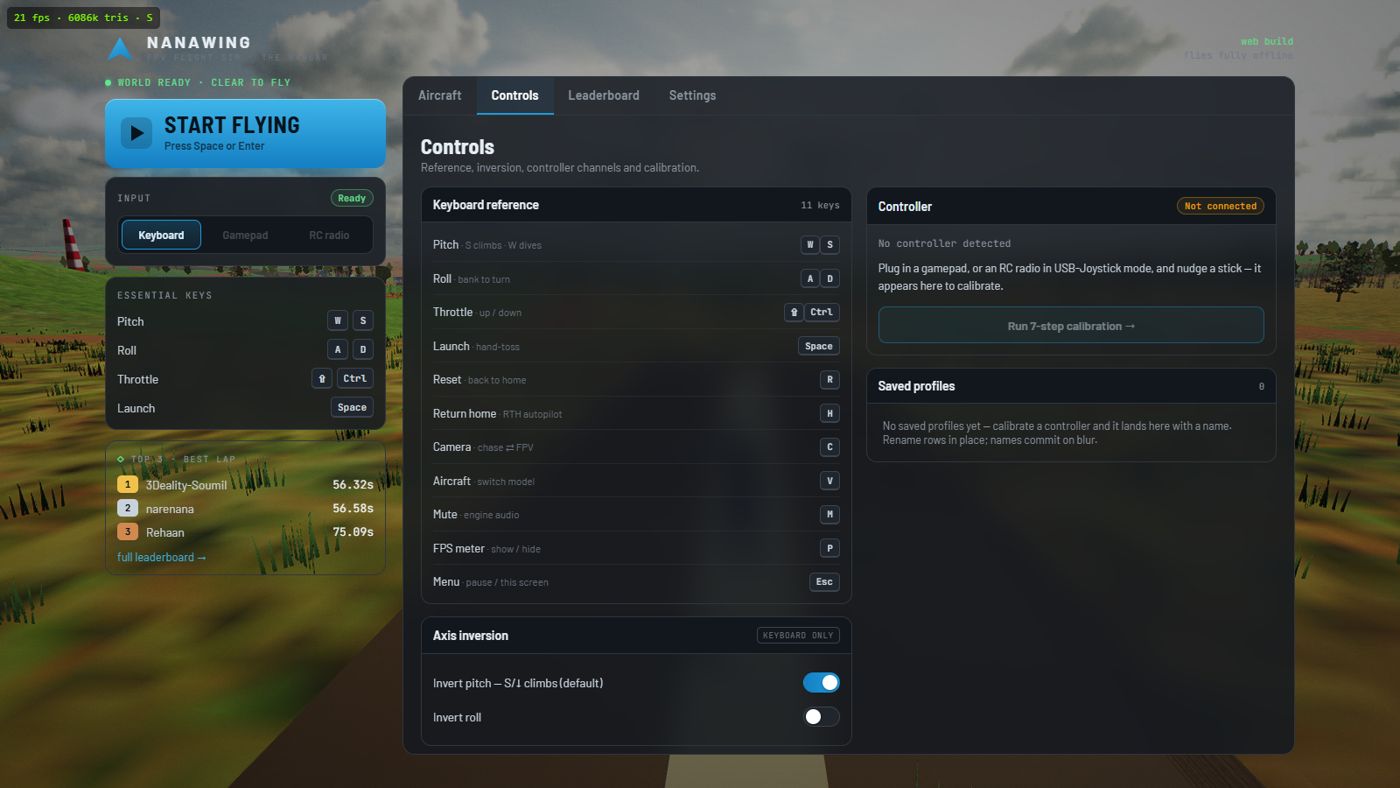
The keyboard is a first-class way to fly Nanawing, not a fallback. W/S pitch (S climbs — the RC "pull back to climb" convention), A/D roll, ⇧ Shift/Ctrl throttle, Space to launch, R to reset, H for return-to-home, C to swap cameras, and V to cycle aircraft in flight. If you'd rather push forward to climb, one invert toggle flips it and saves on your device (a controller you calibrate later starts from the same setting). When you do buy hardware, any gamepad or RC transmitter in USB-joystick mode plugs in with a short calibration — but that's an upgrade, not a requirement. See the full controls guide for every key.
Why the muscle memory actually carries over
The reason a sim can teach real FPV — and the reason a lot of "games" can't — is honest physics. Nanawing models coordinated turns, stalls, and per-airframe thrust, roll rate and battery drain; the aircraft specs are autopilot-measured or calculated from the flight model, not made up. The forgiving Nanawing One learner (0.95 m, 24 km/h level-flight stall, 241°/s roll) behaves like a docile trainer, and the fast Sukhoi S-70 Okhotnik (323 km/h flat out, 34 km/h level-flight stall) punishes sloppy energy management like a real hot airframe would. Because the behaviour is real, the reflexes you build — bank-then-pull, feeding throttle through turns, catching a stall before it bites, trusting RTH — are the same reflexes real hardware rewards. If you're curious how faithfully it's modelled, the how it's built guide is candid about what a browser sim does and doesn't replicate.
None of this is a substitute for eventually flying the real thing — nothing replaces goggle latency, wind, and the stakes of a live battery. But it is the cheapest, fastest way to arrive at your first real flight already knowing how to keep an aircraft alive. Open Nanawing, press Space, and start building the habits now.