 narenana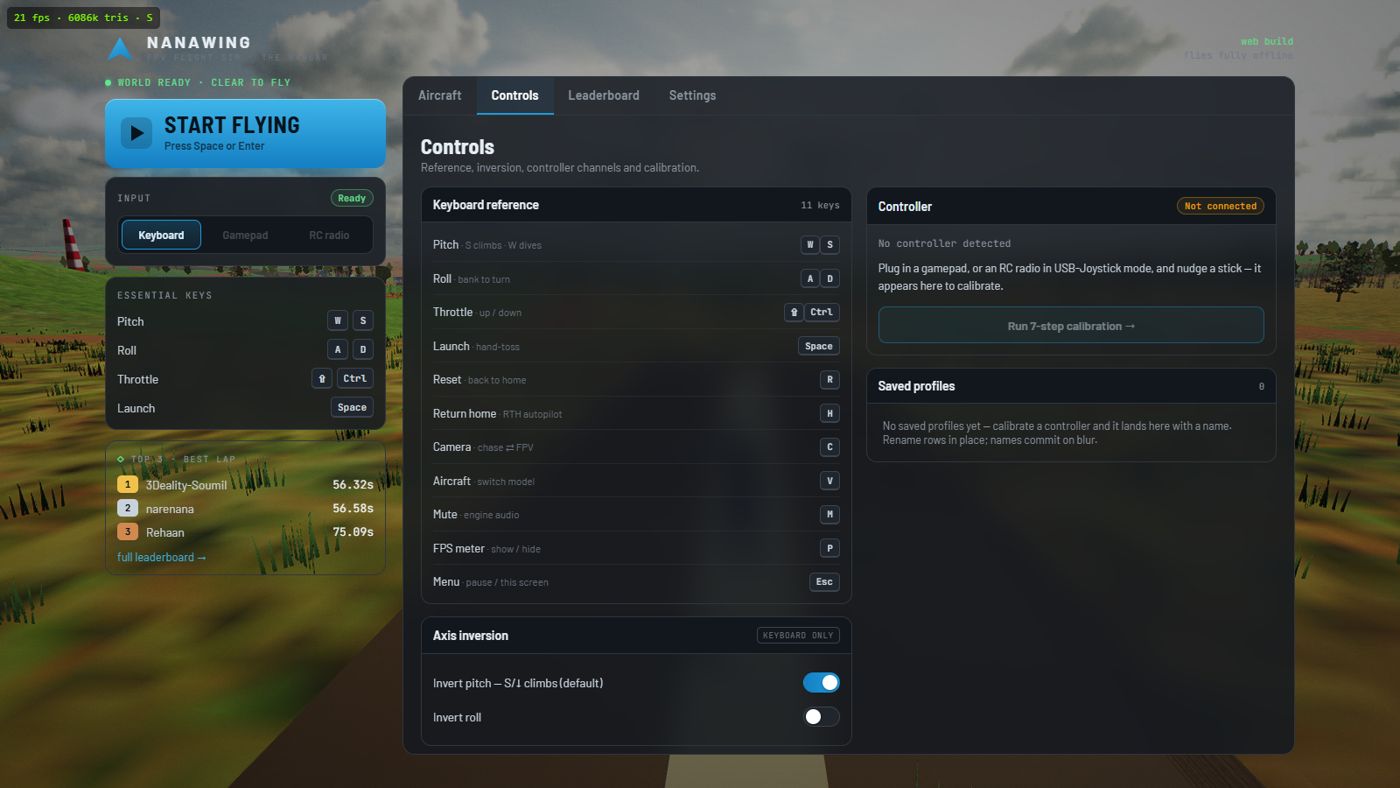
“Whoever made this… they are an actual FPV pilot, ’cause they put in stuff which is realistic.” He also stresses what makes it easy to try: it's completely free, there's nothing to download, and you don't need a powerful computer — you just open the browser and fly. Watch the full review →
Your first flight in sixty seconds
Open sim.narenana.com and press Launch the simulator. That opens the Hangar, a menu page of its own. Then:
Pick a site and a wing, press LAUNCH
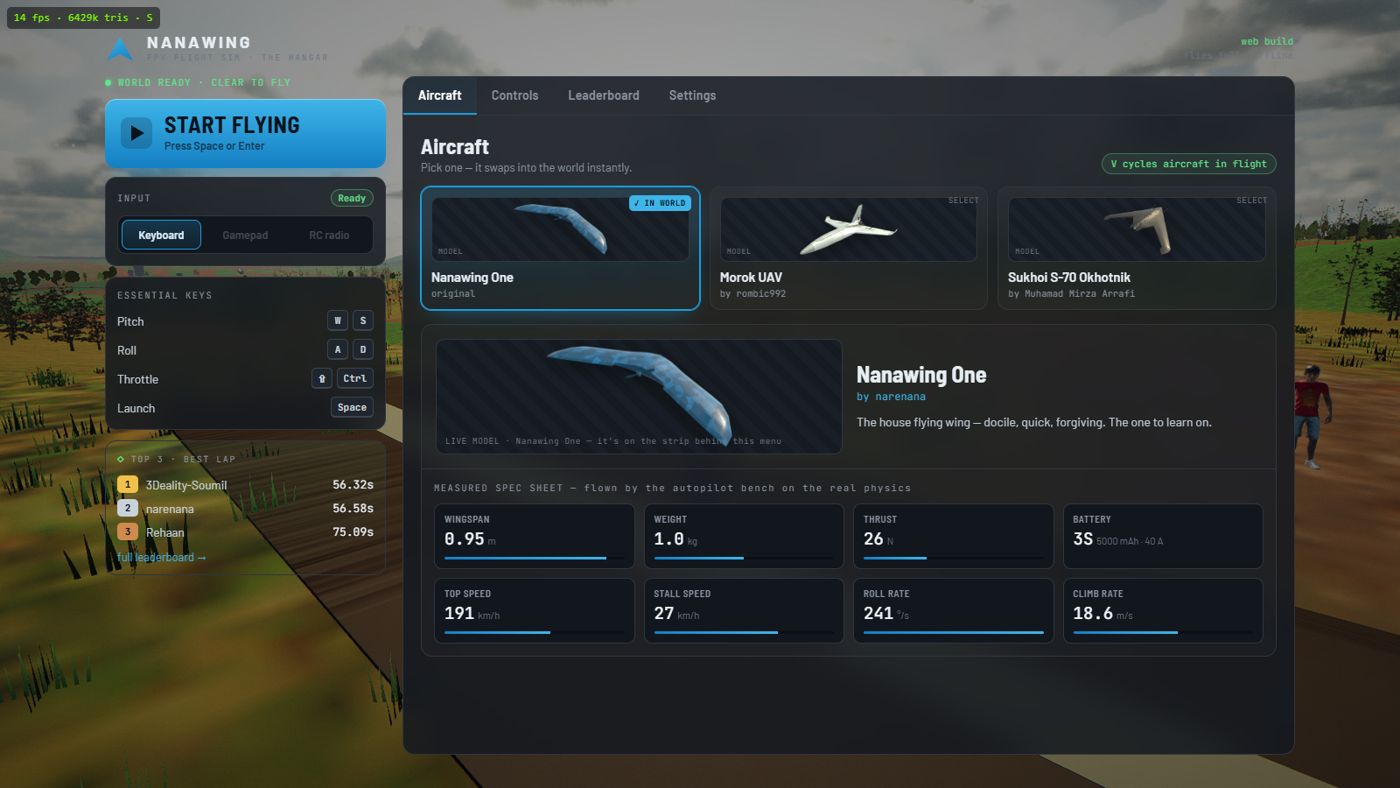
The Hangar opens on Flight setup: choose the Island or the Desert and one of the four wings (or keep the defaults), then press the big LAUNCH button or hit Enter. The loader page shows real progress, not a fake bar, while the terrain, aircraft and sky stream in, and then you're standing on the strip with your wing.
Launch with Space
A launcher jogs down the strip and throws the aircraft for you — flying wings have no landing gear, so every flight starts with a hand-toss at flying speed.
Throttle up and climb
Hold ⇧ Shift for power and pull S to raise the nose. Bank with A and D to turn — wings turn by rolling, not yawing.
Crashed? R puts you back
Instantly, on the strip, with a fresh battery. Crashing is how everyone learns FPV — the sim exists so the crashes are free.
Every key, and what it actually does
On every RC transmitter in the world, pulling the pitch stick back raises the nose — the same way a real control column works. Nanawing keeps that convention on the keyboard: S (pulling back) climbs, W (pushing forward) dives. If you'd rather have it the other way, flip Invert pitch under Controls. It is one setting, saved on your device, for every way you fly: the keyboard follows it at once, the controller profile you are using is flipped the moment you change it, and a new calibration starts from it.
Flying a wing well: the three habits
Bank, then pull
A flying wing has no rudder. Turns happen by rolling into the direction you want (A/D) and then adding a little back-pressure (S) to carve the turn. Roll without pull and you slide sideways losing altitude; pull without roll and you just climb. The sim models this honestly — it flies coordinated turns the way a real wing does. The one wing here you can yaw is the twin-motor Spectre: on a controller's yaw stick it swings its nose by running its two motors at different speeds (see the radio section below). It still turns by banking.
Speed is life
Every airframe has a level-flight stall speed (24–34 km/h depending on the wing — see the aircraft guide). Get slower than that and the wing stops flying: the nose drops whether you like it or not. Keep some throttle in turns — banking raises the stall speed.
Land into the flare
Cut the throttle on final, glide down, and just before the ground ease the nose up so you touch gently, wings level. The crash report card grades exactly this: sink rate under 1.5 m/s (1.2 on the light Spectre), ground speed under 60 km/h (40 on the Spectre), no more than 4° nose-down or 12° nose-up, and bank under 8°. Spear it in nose-first and the card will tell you — in loving mechanical detail — what you broke.
Flying with an RC radio or gamepad
This is where Nanawing earns the word simulator. Any RC transmitter that presents itself as a USB joystick — EdgeTX and OpenTX radios do this natively, as do most trainer-port dongles — works as a full multi-axis controller, and so does an ordinary gamepad. Plug it in, nudge a stick, and the Hangar's input selector offers it.
Selecting an uncalibrated device opens the 8-step calibration, which takes about a minute:
- Centre — pick your device type and stick mode (Modes 1–4 supported), then let go of everything so the sim captures neutral.
- Roll — hold the stick fully right. The direction is captured from what you do and the wing on screen shows the result; an Invert roll switch on the same step flips it if you want the opposite.
- Pitch — pull fully back (climb). Again the direction is captured from what you do, and an Invert pitch switch on the step flips it. Both switches are the same setting as the invert toggles under Controls.
- Throttle — sweep low to high a few times so the sim learns the full range of your throttle travel.
- Yaw (optional) — hold your yaw stick (the rudder stick on a radio) fully right, or press Skip if you don't have one. Only the Spectre uses it.
- Switches — optionally bind a switch for launch, reset and return-to-home. RC radios expose switches as axes, not buttons — Nanawing handles both, which most browser games get wrong.
- Confidence check — move everything; each control lights green when it responds correctly. Nothing saves until this passes you.
- Save profile — name it ("Field TX", "Couch Xbox"). Reconnect the same device later and the profile loads automatically.
Yaw is for the Spectre only. It has two motors, and the yaw stick runs them at different speeds: stick right, nose right. It is strongest when you fly slowly, and does nothing below 10% throttle. The other three wings have one motor and ignore the yaw stick. Yaw needs a controller — there is no yaw key. A standard gamepad uses its left stick pushed sideways with no setup; otherwise set or change the yaw stick in the calibration's Yaw step, or in the Hangar under Controls, on the Yaw stick row.
Space, R and H stay live even when a radio is flying the aircraft — so a mis-bound switch never strands you mid-air. The invert toggles are shared with your controller, though: flip Invert pitch or Invert roll under Controls and the controller profile you are using flips along with the keyboard. Set them once, in the calibration, and leave them.
Cameras: chase and FPV
C switches between the chase camera — a smoothed third-person view that's the friendliest way to learn — and the FPV camera, the nose-mounted view real pilots fly through goggles, complete with artificial horizon, pitch ladder and the green OSD telemetry (altitude, speed, battery, home arrow). Learn in chase, then graduate to FPV: it's the whole point of the hobby, and the reason this genre is called FPV.
When it goes wrong: reset and return-to-home
R resets to the strip instantly. H engages the return-to-home autopilot: the sim levels the wing, climbs to a safe altitude and flies back toward the strip in a gentle loiter — exactly what the RTH failsafe on a real long-range wing does. It also triggers automatically if your "radio link" drops. Watch it fly for a moment; it's a good demonstration of what coordinated flight looks like.
Racing, without a race menu
There is deliberately no mode select in Nanawing — every launch is free flight. The race lives in the world instead: a green arch floats over the runway, and flying through it starts a lap on the gate course. Each map has two courses (Windmill Run and River Run on the Island, Tunnel Run and Pyramid Run on the Desert) — pick the map in the Hangar before you launch. Finish and you get a time, a medal, and a spot on the global leaderboard. Ignore it entirely and nothing nags you.