 narenana
Browser-native, on purpose
Nanawing is written in TypeScript and rendered with Babylon.js on WebGL2 — no plugins, no launcher, no download, no signup. That constraint is the whole design brief: if the sim only ran well after a 4 GB install, it wouldn't be the thing you can hand to a friend as a link. Everything below — the terrain bake, the impostor forests, the tiered graphics — exists to make a browser tab feel like a native flight sim. You can judge the result yourself at sim.narenana.com; the rest of this page explains how it's done.
The terrain pipeline: one source of truth
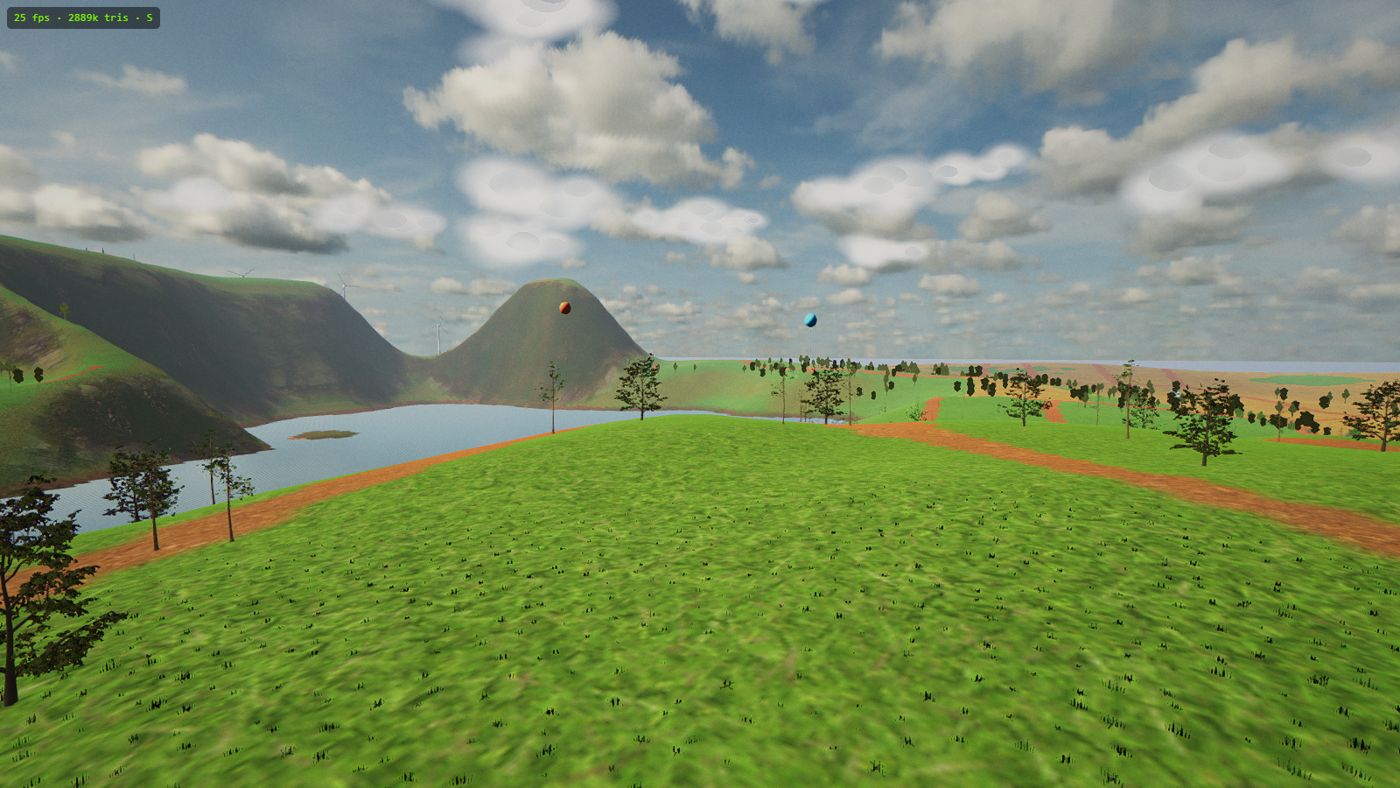
The island isn't sculpted by hand and it isn't procedural noise. Its shape comes from real elevation data — the Copernicus satellite DEM — reshaped into a coastal island of rolling farmland roughly 3.8 km across (there's a full tour on the Island map page). That happens offline: a bake tool crunches the raw elevation into one compact height field that ships with the game.
The important decision is what happens next: that single height field feeds everything.
- The visual terrain mesh is built from it.
- The ground look is texture splatting — about a dozen CC0 PBR ground textures blended across the surface according to the same data.
- Prop placement reads it, so trees, hamlets and fences sit on the ground rather than hovering near it.
- Flight collision reads it too, so the ground you hit is exactly the ground you see.
Games that keep separate copies of the world — one for rendering, one for physics, one for object placement — accumulate tiny disagreements: floating trees, collisions a metre above the grass. With a single baked height field there is nothing to drift. If the mesh shows a slope, the wing collides with that slope, and the tree on it stands on it.
The forest trick: impostors
The most expensive thing on the island isn't water or shadows — it's trees. Thousands of them, each a proper 3D model up close. Drawing them all at full detail every frame would end 60 fps immediately, so Nanawing uses impostors: at load time, each tree species is photographed by the engine into a billboard — a flat picture of the tree. Nearby trees stay real 3D; distant ones are swapped for their billboard, which costs almost nothing to draw. Fly toward a forest and the billboards quietly hand over to geometry before you can catch them at it.
Because the photograph is taken at load from the actual in-game model, the billboard matches the real tree's silhouette and lighting — it isn't a pre-drawn sprite that almost matches. That trick, more than any other, is how a whole forested island fits in a frame budget.
Honest performance: measure, don't guess
Most games guess your hardware from a name string and hope. Nanawing doesn't guess — on first run it benchmarks your actual machine, measuring median frame time while rendering real work, and then picks a tier honestly: Ultra, High or Lite. A gaming desktop gets the full treatment; a modest laptop gets a build of the same island that holds its frame rate instead of stuttering through the pretty version. The measurement is of your browser on your GPU on the day you first load — not a lookup table of hardware released before the game was.
Offline-first: it flies in airplane mode
Nanawing is an installable PWA, and offline isn't a degraded mode — it's a hard rule of the project. A service worker caches the entire game on first load: code, terrain, aircraft, textures, sounds. After that, the sim loads and flies with no connection at all. When you are online, updates download quietly in the background and apply on the next visit — you never watch a patch bar.
Even the fonts are self-hosted rather than pulled from a CDN, so the typography works offline too. The only feature that genuinely needs the internet is the global leaderboard, and it says so politely in its own tab and retries — it never blocks loading or flying.
The flight model, and the bench that measures it
Under the visuals is a fixed-wing flight model with coordinated turns, real stall behaviour, and per-airframe thrust, roll response and battery, plus yaw by differential thrust on the twin-motor Spectre — which is why the four aircraft feel like different machines rather than different skins (the how-to-play guide covers what that means on the sticks).
The aircraft page uses an autopilot flight bench to measure top speed, roll rate and climb rate on the simulator's physics. Stall speed is calculated from each airframe's wings-level lift limit; the earlier in-game warning is measured separately. The configurations are tuned approximations. Rerunning the bench keeps their published simulator specifications consistent with the handling you experience.
The leaderboard: small, global, no accounts
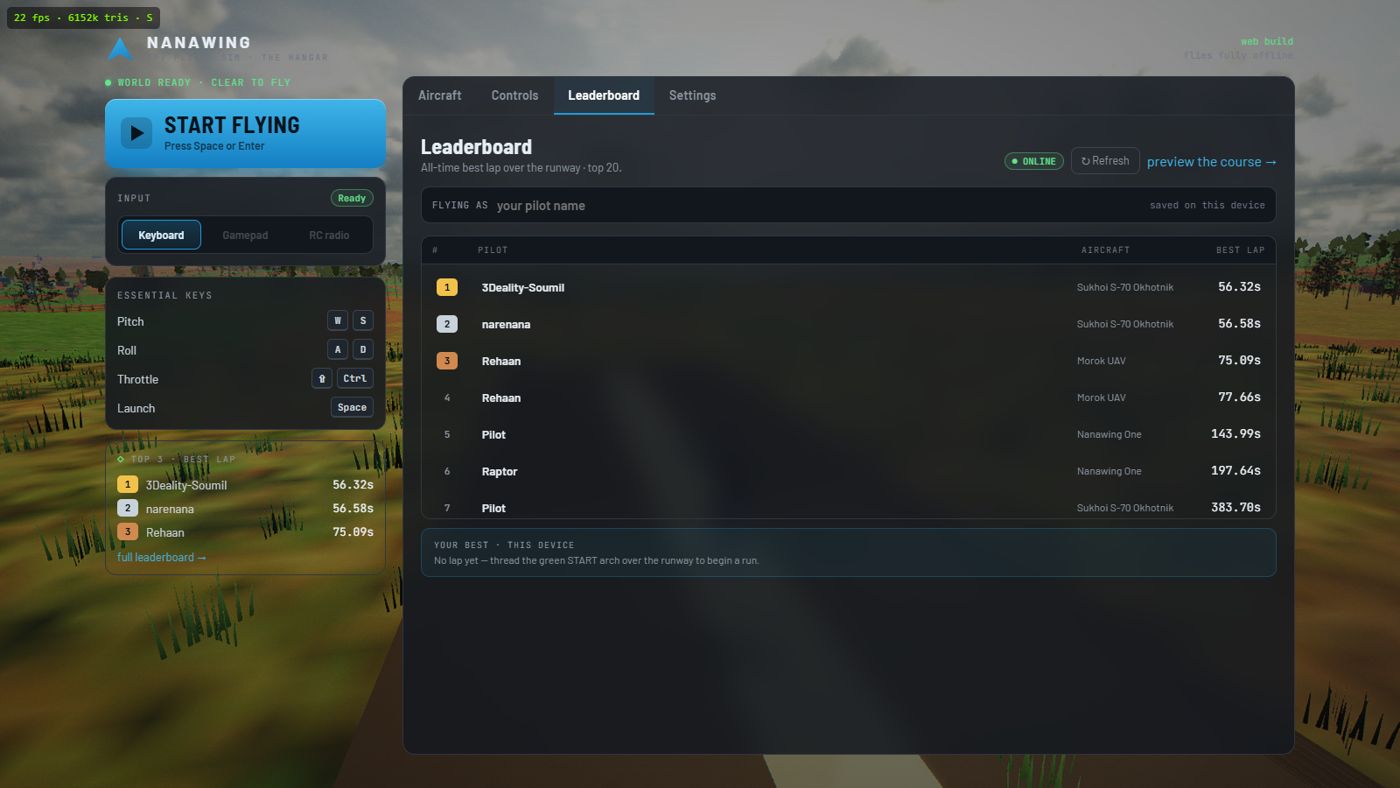
The all-time race boards run on Cloudflare D1 — a small SQL database at the edge — fronted by a tiny worker, with a board for every course and every aircraft. There are no accounts anywhere in the game: your pilot name is saved on your device, each pilot holds one row per board that only ever improves, and the Hangar shows a podium, the ranked field and your own standing wherever you are on it. The full etiquette of the arch, the medals and the times lives in the racing guide.
The asset ethic
The world combines original project assets with CC0 or CC-BY licensed ground textures and HDRIs from Poly Haven and ambientCG, models from Quaternius and individual Sketchfab artists — with credits shown in-app, where the people who made the assets deserve them. Two aircraft are CC-BY community models; the Spectre is an original simulator recreation of WUDFLY's design, with attribution and a link to its maker. It's a small thing, but a browser game that works offline, costs nothing and credits its artists properly is the kind of web software worth making.
The short version
| Problem | Answer |
|---|---|
| Run a sim without an install | TypeScript + Babylon.js on WebGL2 — plain browser tech, no plugins |
| Believable terrain | Copernicus satellite DEM, baked offline into one height field feeding mesh, splat, props and collision |
| Thousands of trees at 60 fps | Impostors — each species photographed into a billboard at load |
| Wildly different hardware | First-run benchmark measures median frame time, picks Ultra / High / Lite |
| Flaky connections | Offline-first service worker; the whole game is cached and flies in airplane mode |
| Honest aircraft specs | An autopilot bench flies each wing on the real physics and records the numbers |
| A global board with no accounts | Cloudflare D1 plus a tiny worker; name stored on your device |
The best way to evaluate any of it is the product itself: open the sim, let it cache, turn your Wi-Fi off, and go flying.