 narenana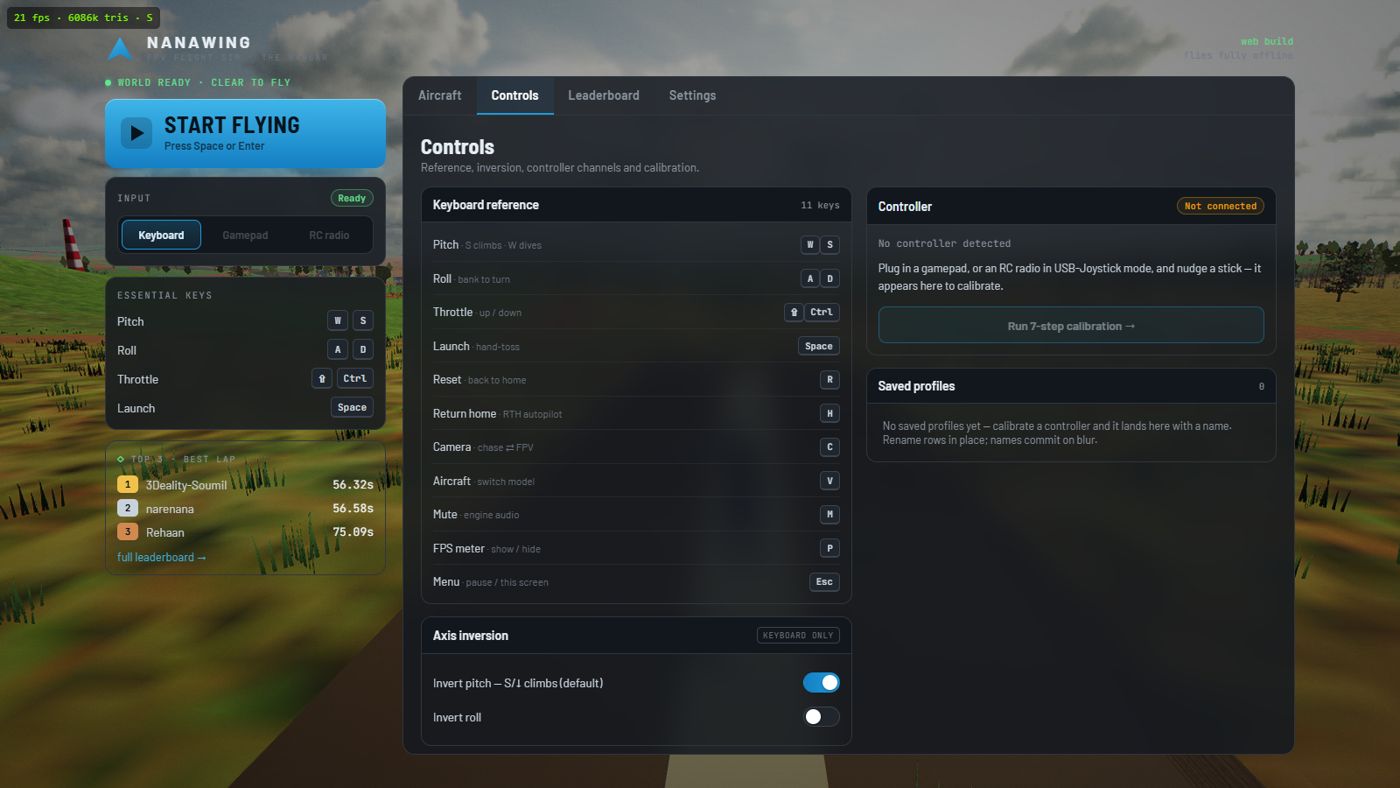
“Whoever made this… they are an actual FPV pilot, ’cause they put in stuff which is realistic.” He also stresses what makes it easy to try: it's completely free, there's nothing to download, and you don't need a powerful computer — you just open the browser and fly. Watch the full review →
Yes — you can fly the whole thing on a keyboard
Most FPV and drone simulators assume you already own a radio transmitter or at least a game controller, and won't let you past the setup screen without one. Nanawing doesn't. It's a fixed-wing FPV simulator that runs entirely in your browser — no download, no install, no signup, no account — and the keyboard is a first-class way to fly it, not an afterthought. Everything a real pilot does with the sticks, you do with keys: launch, throttle, pitch, roll, camera, return-to-home, even switching aircraft mid-air.
It works on Chrome, Edge, Firefox and Safari, on Windows, Mac, Linux and even a Chromebook. The only requirement is WebGL2, which every machine built since about 2015 already has. So if you don't own a controller — or you just want to try FPV before spending money on one — you can be flying in under a minute. Open the simulator, pick a site and a wing in the Hangar, press Launch, and once the loader is done you're standing on an airstrip with a wing.
Every key you need, and nothing you don't
That's the entire control set. There's no menu you have to bind before you can fly, and no controller detection to satisfy. For the full walkthrough of a first flight — hand-launching, throttle, the landing flare — see how to play Nanawing.
On every RC transmitter in the world, pulling the pitch stick back raises the nose, the same way a real control column works. Nanawing keeps that convention on the keyboard so the habit transfers: S (pulling back) climbs, W (pushing forward) dives. It feels backwards for about thirty seconds and then it's second nature. If you truly prefer it the other way, flip Invert pitch under Controls. It is saved on your device and shared with any controller you add later: the calibration starts from it, shows you the result, and has its own switch if you want the radio the other way. There's more on this in the controls guide.
Learn in chase, then step into FPV
You don't have to start in the first-person view. Press C to fly in the chase camera — a smoothed third-person view that sits behind the wing and is by far the easiest way to learn orientation and turns on a keyboard. When you're comfortable, press C again to drop into the FPV camera: the nose-mounted view real pilots fly through goggles, with an artificial horizon, a pitch ladder and the green OSD telemetry — altitude, speed, battery and a home arrow — drawn right on screen. That's the whole point of the hobby, and the reason the genre is called FPV. No goggles required; it's all on your monitor.
A wing is the friendliest airframe to keyboard-fly
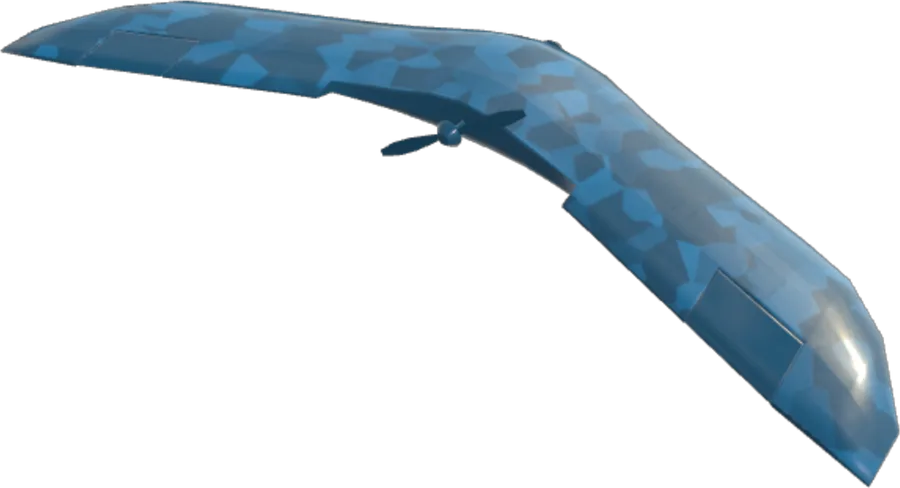
Here's a happy coincidence for keyboard pilots: the aircraft this sim is built around — a fixed-wing FPV flying wing — is also the most forgiving thing to fly with the coarse, all-or-nothing input a keyboard gives you. A wing wants to fly. It glides, it self-levels a little, and it doesn't demand the constant fine stick corrections a multirotor drone does just to hover. You set a bank, you hold a climb, you let it carry. That maps cleanly onto keys.
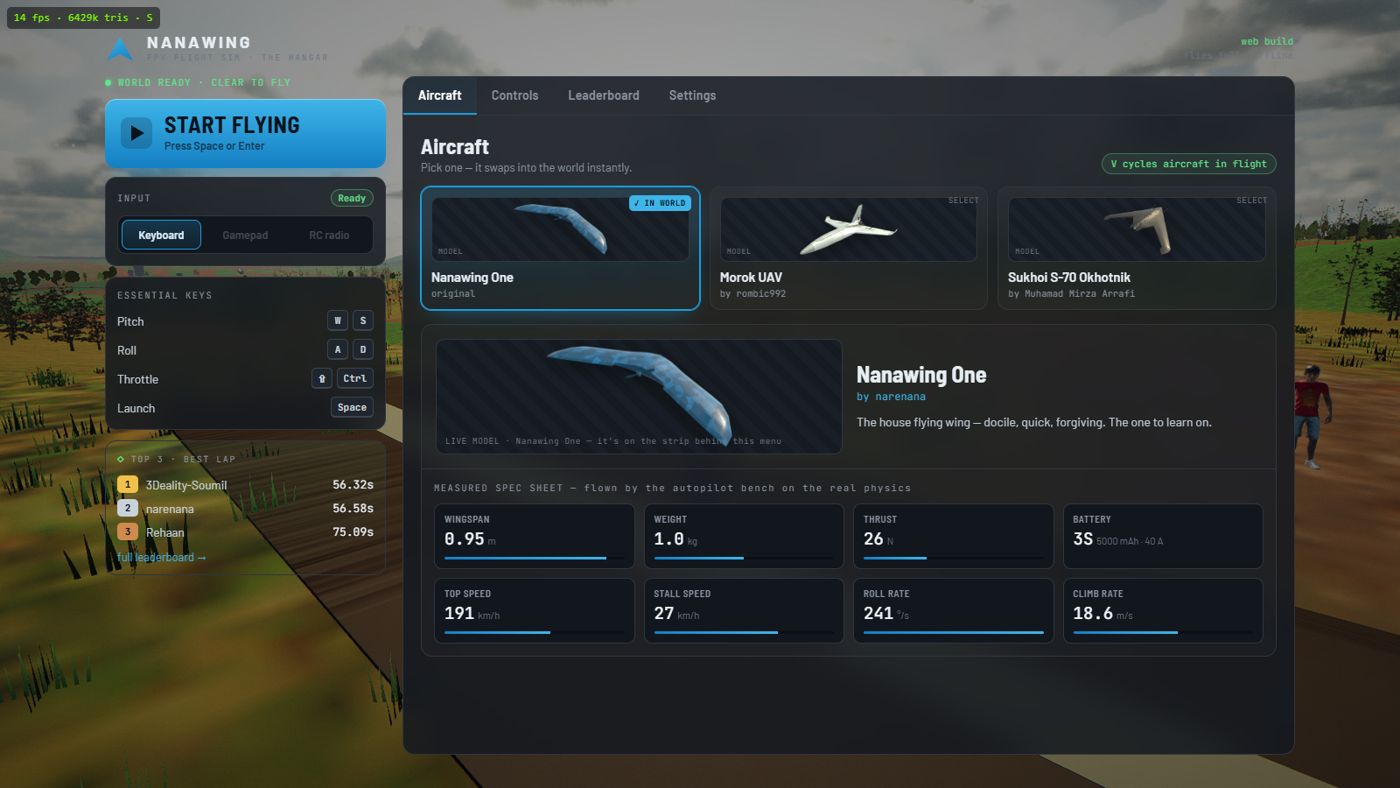
Nanawing starts you in the Nanawing One, the deliberate trainer: a 0.95 metre wing with a 24 km/h level-flight stall speed and a brisk 241°/s roll rate, forgiving enough that a keyboard's blunt inputs rarely bite. Press V in flight to cycle to the faster Morok UAV or the quick, higher-stall (34 km/h) Sukhoi S-70 Okhotnik when you want more of a challenge. WUDFLY Spectre offers slower flight with a responsive roll; use small key taps for close turns. These are simulator specs, not measurements of the real aircraft — see the aircraft guide for the full numbers and how they feel. If flying wings themselves are new to you, the what-are-FPV-wings primer explains elevons, banking turns and why they have no rudder.
A physical stick gives finer, analog control — you can hold a shallow 10° bank that a keyboard delivers as full deflection, and feather the throttle in a way keys can't quite match. That's real, and we won't pretend otherwise. A stick also adds one control: the twin-motor Spectre yaws on a controller's yaw stick, by running its two motors at different speeds, and there is no yaw key. But the flight physics are identical either way: coordinated turns, stalls, per-airframe thrust and battery. The keyboard is genuinely playable, and every skill you build on it is the skill a real pilot uses.
Want a stick later? It's optional, and it's easy
If FPV clicks with you and you decide to pick up a controller — or you already own one gathering dust — Nanawing takes it, but you are never required to. Any ordinary gamepad works, and so does any RC transmitter in USB-joystick mode: EdgeTX and OpenTX radios present themselves as USB joysticks natively, as do most trainer-port dongles. Plug it in, nudge a stick, and the Hangar's input selector offers the device.
Selecting an uncalibrated device opens an 8-step calibration that takes about a minute: set the centre and your stick mode, then hold roll fully right, pitch fully back, sweep the throttle, optionally hold a yaw stick right (only the Spectre uses one), optionally bind switches for launch and reset, pass a confidence check where each control lights green, and save a named profile. Reconnect the same device later and the profile loads automatically. The full step list lives in the controls guide. And crucially, Space, R and H stay live on the keyboard even while a radio is flying, so you're never stranded by a mis-bound switch.
It's free, it's offline, and there are two whole maps
The keyboard doesn't get you a stripped-down demo — it gets you the whole simulator, both maps included. The new Desert has a tunnel through a mesa, temples and three pyramids; the original is a roughly 3.8 km coastal island built from real satellite elevation data: rolling farmland, dirt roads and hamlets, two lakes with boats, a river and bridge, a gorge and waterfall, ridgeline wind turbines, smoking freight trains, low vintage aircraft and tethered hot-air balloons. Green START arches stand over each home airstrip, one per course; fly through one and you begin a timed race lap that lands you on the global leaderboard — no account, your name saved on your device. There's no mode select; every launch is just free flight.
A first-run benchmark quietly measures your machine and picks Ultra, High or Lite quality automatically, so it runs smoothly on a modest Chromebook or an integrated-graphics laptop without you touching a settings menu. Install it as a PWA and it caches the entire game and flies fully offline — the leaderboard is the only feature that needs the internet. Curious how a browser tab pulls that off? The how-it's-built guide has the details.
Why bother with a sim at all?
Because real FPV wings and drones cost money and crash, and goggles plus a transmitter are a real investment before you've flown a single metre. A simulator builds the transferable skills — bank-then-pull turns, throttle and energy management, stall recognition, orientation, return-to-home discipline — for free, with an instant R reset instead of a repair bill. Nanawing models the real flight behavior, so the muscle memory you build on the keyboard today carries straight over to sticks, and to a real wing, tomorrow. Start flying now — no controller, no download, no excuses.