 narenana
“Whoever made this… they are an actual FPV pilot, ’cause they put in stuff which is realistic.” He also stresses what makes it easy to try: it's completely free, there's nothing to download, and you don't need a powerful computer — you just open the browser and fly. Watch the full review →
Why you can't install a normal FPV sim (and don't need to)
Velocidrone, Liftoff, Uncrashed and the DRL Sim are native applications shipped as Windows (and sometimes
Mac) installers. On a school-managed Chromebook you almost certainly can't run a .exe at all —
ChromeOS doesn't run Windows binaries, and the device policy usually blocks installing apps anyway. The same
wall stops a lot of Linux users and anyone on a work-locked machine.
Nanawing sidesteps the whole problem. It's a web page. You open sim.narenana.com, press Launch in the Hangar, and wait a few seconds while the loader streams the world in. There is no download, no installer, no signup and no account — nothing for a device policy to block. If your browser can open the page, you can fly.
Nanawing renders with WebGL2, the 3D graphics standard built into every modern browser. Chrome, Edge, Firefox and Safari all support it, and every Chromebook, laptop or desktop made since roughly 2015 has it. There's no separate GPU driver to install and no plugin — it's the same technology that powers Google Maps' 3D view. If your device is newer than about a decade, you're set.
It runs the same everywhere: ChromeOS, Mac, Linux, Windows
Because it's just a web page, the platform underneath barely matters. The exact same Nanawing runs in a tab on:
- Chromebooks — including school-issued and enterprise-managed ones, since nothing installs.
- Mac — in Safari, Chrome or Firefox, with no Rosetta or App Store detour.
- Linux — any distro with a modern browser; no proprietary launcher or Proton layer.
- Windows — if you're on Windows too, it still runs in the browser with zero setup.
That cross-platform reach is the point. A classroom of mixed Chromebooks and MacBooks can all fly the same sim in the same browser tab, which is what makes it work as a flight-sim exercise for a school or club where you can't dictate everyone's hardware.
Modest hardware? It measures your machine and tunes itself
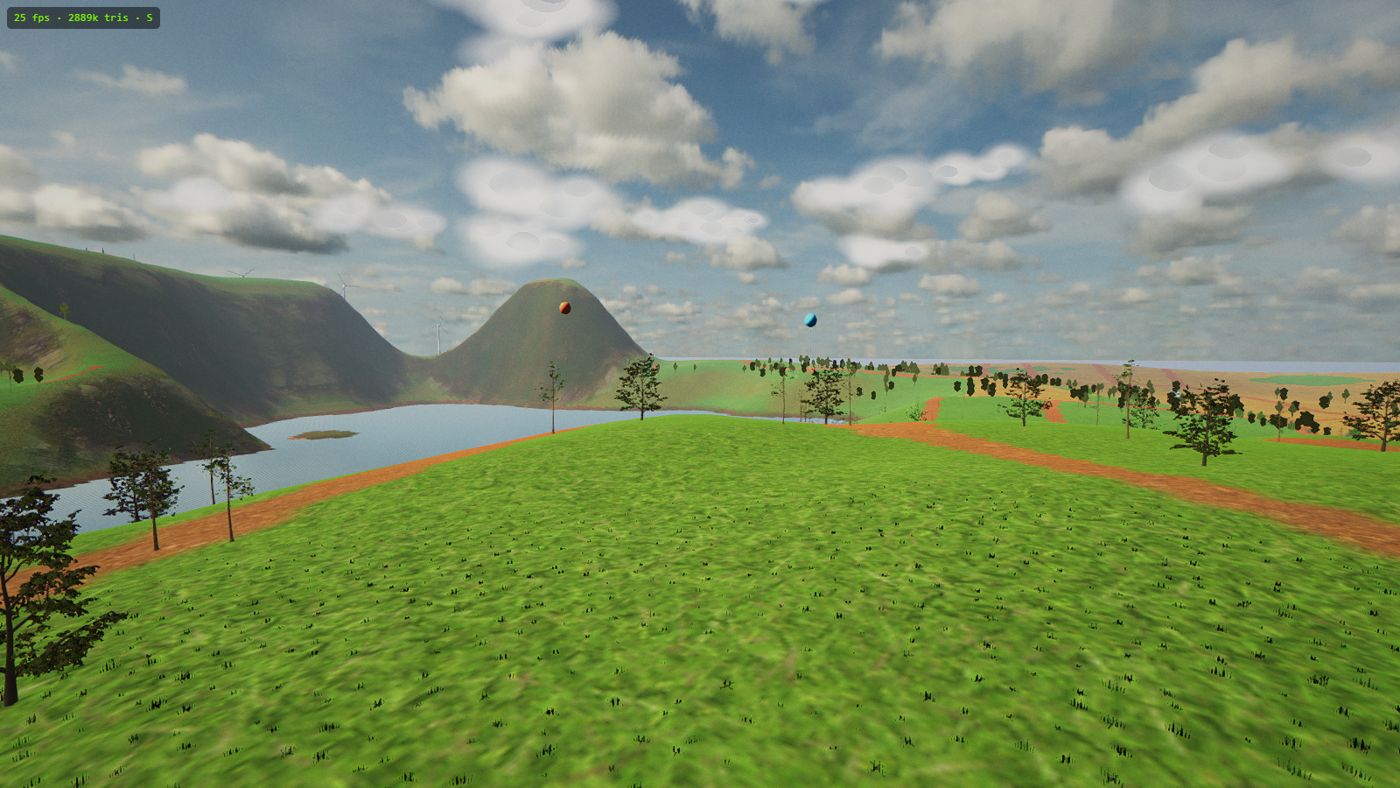
School Chromebooks and integrated-graphics laptops aren't gaming machines, and Nanawing doesn't pretend otherwise. On the first run it benchmarks your device and automatically picks a graphics tier — Ultra, High or Lite — so it runs smoothly without you touching a single setting.
The Lite tier trims resolution, shadows and grass density to protect the frame rate, so even a low-powered Chromebook or an old integrated-GPU laptop targets a playable 60fps. There's no menu of render options to get wrong; the sim does the measuring and picks for you.
A discrete-GPU download sim like Velocidrone will look flashier than Nanawing on a good gaming PC — more particles, sharper shadows, higher resolution. But on a Chromebook or a thin-and-light laptop, those sims won't run at all. Nanawing's whole design goal is a smooth 60fps on ordinary hardware in a browser tab, which is the hardware you actually have.
Install it as an app — then it flies offline
You never have to install anything, but you can, and it's worth it. Nanawing is a Progressive Web App: your browser will offer to "install" it, which pins it as an app icon and lets it open in its own window. More importantly, a service worker then caches the entire game — terrain, aircraft, sky and all the code — on the device.
Once cached, Nanawing flies with no internet at all. That matters on a Chromebook: school and campus wifi is famously patchy, and a browser game that dies the moment the connection hiccups is useless. Nanawing loads and flies offline from launch to landing. The only online feature is the global leaderboard, which quietly disables itself when there's no connection and re-enables when there is — it never blocks the actual flying.
Fly with the keyboard your Chromebook already has
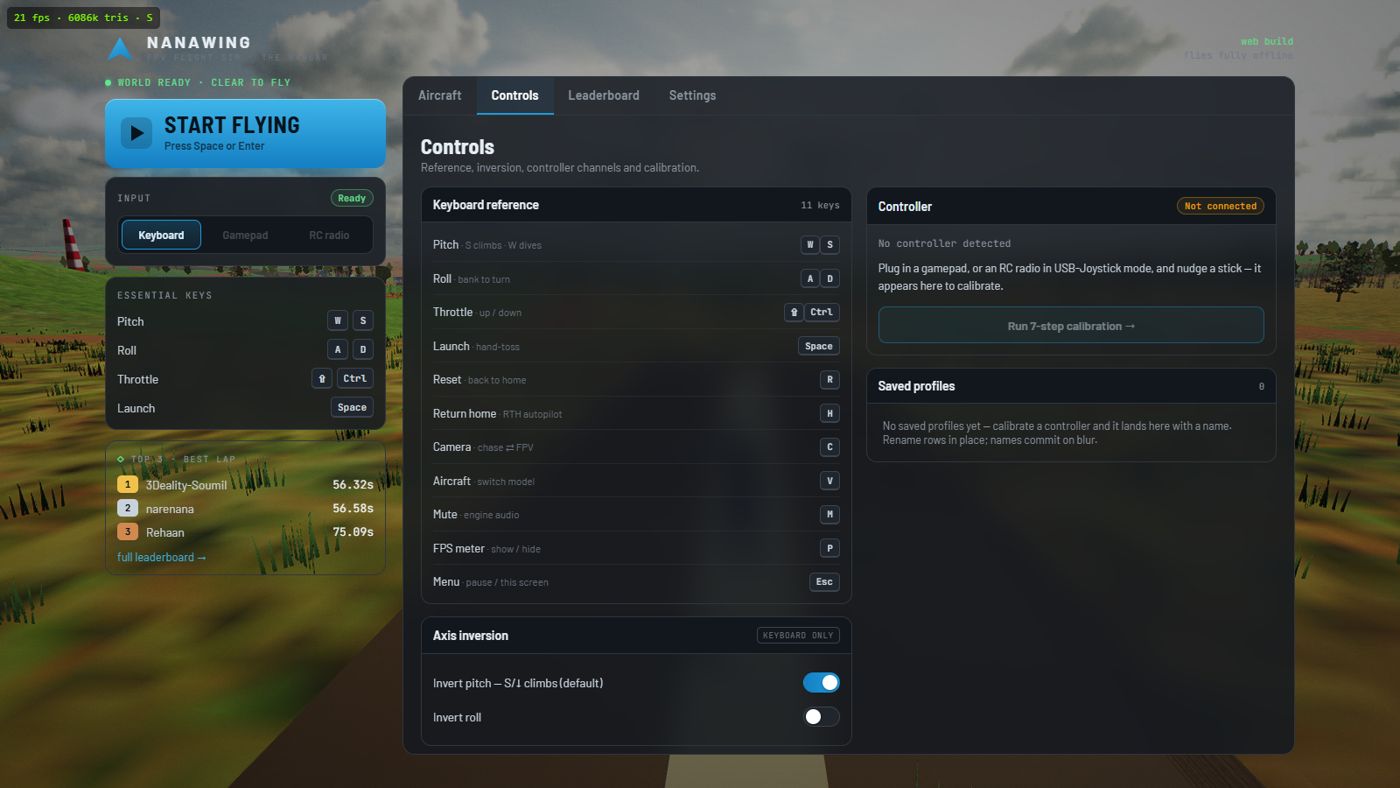
You don't need a controller, a gamepad, an RC radio or FPV goggles to play. Nanawing flies fully on the built-in keyboard, which is exactly what you want on a Chromebook where you may not have anything to plug in. The core keys:
Note that S climbs and W dives — that's the real RC convention where pulling the stick back raises the nose. If it bothers you, there's an invert toggle saved on your device (one setting, shared with any controller you calibrate). Learn in the smoothed chase camera, then press C for the nose-mounted FPV view with its green OSD telemetry when you're ready. Full detail is in the how-to-play guide, and if you ever do plug in a gamepad or an RC transmitter, that works too — but the keyboard is a first-class way to fly, not a fallback.
What you actually get to fly
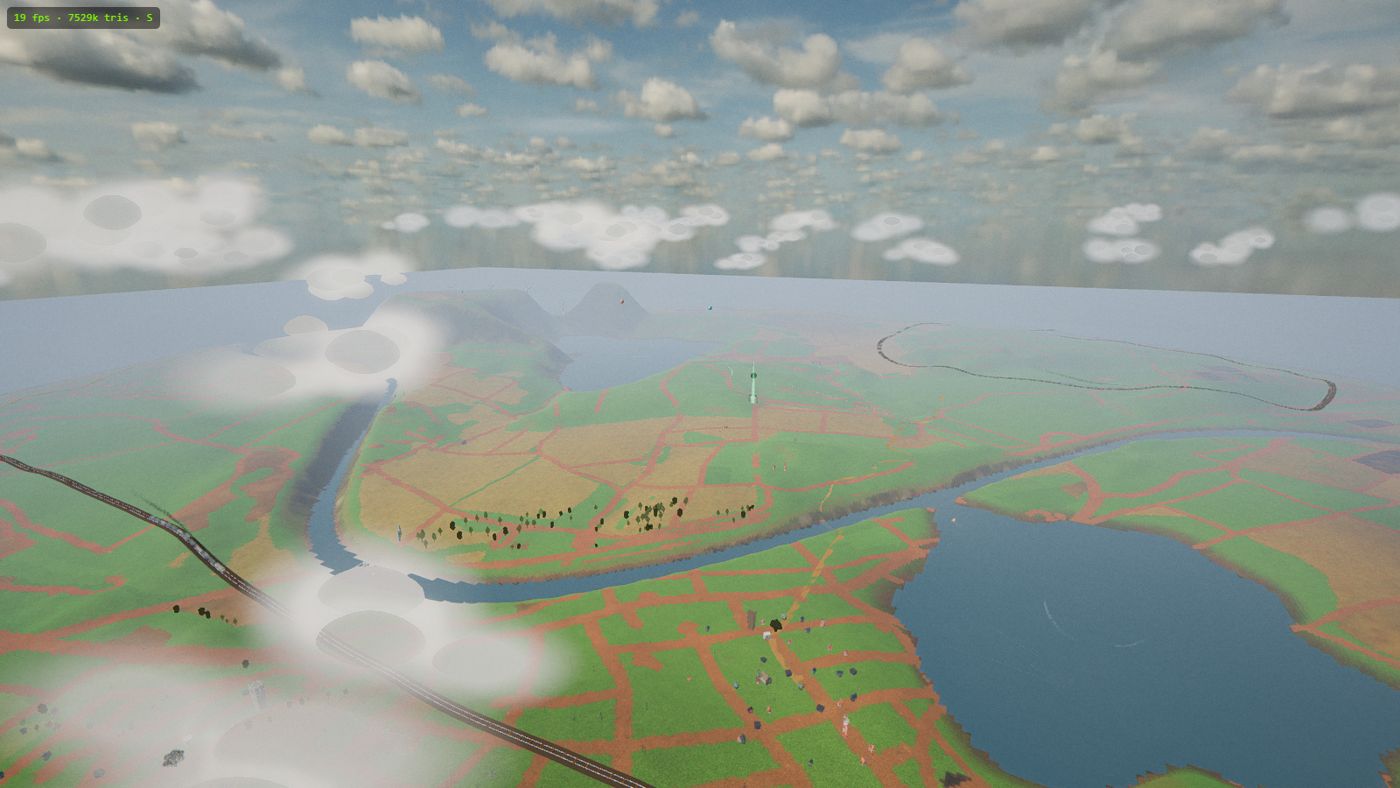
This isn't a stripped-down browser toy. Under the hood Nanawing models real fixed-wing flight — coordinated turns, stalls, and per-airframe thrust, roll rate and battery — so the muscle memory you build here transfers to a real wing. And there are two maps. The Island is a ~3.8 km coastal island built from real satellite elevation data: rolling farmland, two lakes with boats, a river and bridge, a gorge, a waterfall, ridgeline wind turbines, two freight rail loops with smoking trains, and hot-air balloons tethered over the big lake (tour it on the Island map page). The new Desert swaps all that for an airfield under the mesas, a tunnel bored straight through the rock, a wide river with barges, temples and three pyramids.
There are four aircraft, and V cycles between them in flight. These specs describe the simulator's flight model; stall speed is the level-flight lift limit:
| Aircraft | Wingspan | Stall speed | Character |
|---|---|---|---|
| Nanawing One | 0.95 m | 24 km/h | The forgiving learner — predictable, 241°/s roll |
| Morok UAV | 0.85 m | 28 km/h | A step up in pace and edge |
| Sukhoi S-70 Okhotnik | 1.05 m | 34 km/h | Fast and demanding — higher stall, less forgiving |
| WUDFLY Spectre | 0.60 m | 25 km/h | Slower and agile — a compact twin-motor wing |
Start on the Nanawing One; its low 24 km/h level-flight stall and predictable roll make it a good place to learn. More on all four is in the aircraft guide.
Why practise in a browser sim at all?
Real FPV wings and drones cost money and crash — and goggles plus a transmitter are a real investment before you've even learned to keep something level. A simulator builds the transferable skills for free: bank-then-pull turns, throttle and energy management, stall recognition, orientation, and return-to-home discipline. When you spear it in, R puts you back on the strip instantly with a fresh battery — an instant reset instead of a repair bill. Because Nanawing models the real flight behaviour, the muscle memory carries over to actual hardware.
That's what makes it a genuine flight-sim exercise for a Chromebook classroom or a solo learner on a Mac: no download to fight your device policy, no cost, no crashes that hurt, and a proper physics model underneath. Open the simulator, press Launch, and you're on the strip ready to fly.